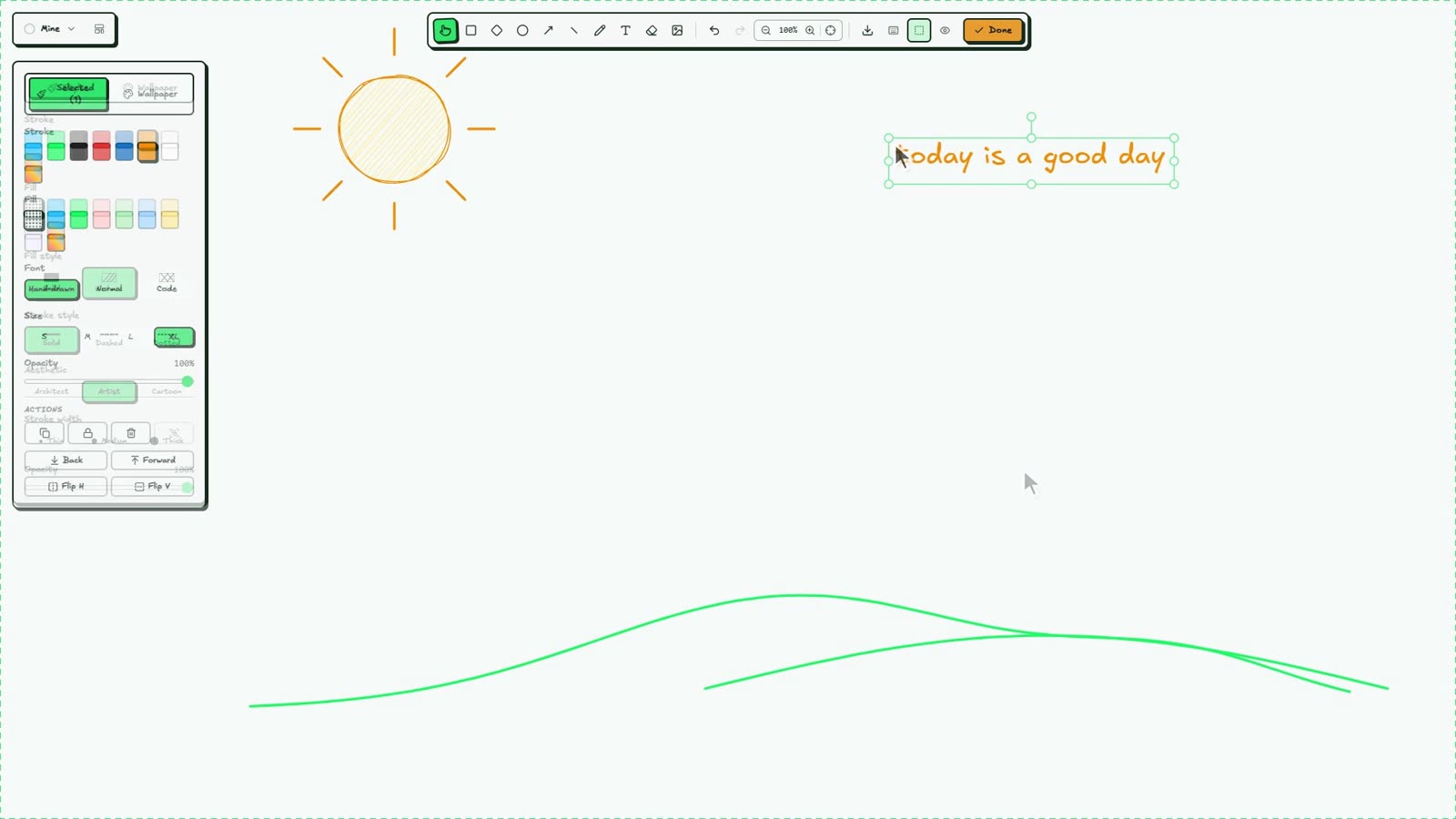
Draw by hand
Rectangles, diamonds, ellipses, arrows, freehand and text. Duplicate, flip, group, and undo anything.
free Chrome extension
PaperTab turns Chrome's New Tab into a hand-drawn sketchbook. Doodle something, hit Done, and it becomes your wallpaper, with your clock, search, tasks and notes sitting on top.
No account · No tracking · Your boards stay on your device
Shapes, arrows, lines, text and freehand, all with that wobbly hand-drawn look.
Your sketch becomes the wallpaper. Every new tab opens to it.
Clock, search, quick links, tasks and notes live right on top.
what's inside
A calm, cute home screen that still helps you get things done.
Rectangles, diamonds, ellipses, arrows, freehand and text. Duplicate, flip, group, and undo anything.
Add to-dos with due dates, tick them off, drag to reorder, or sort them in an urgent / important matrix.
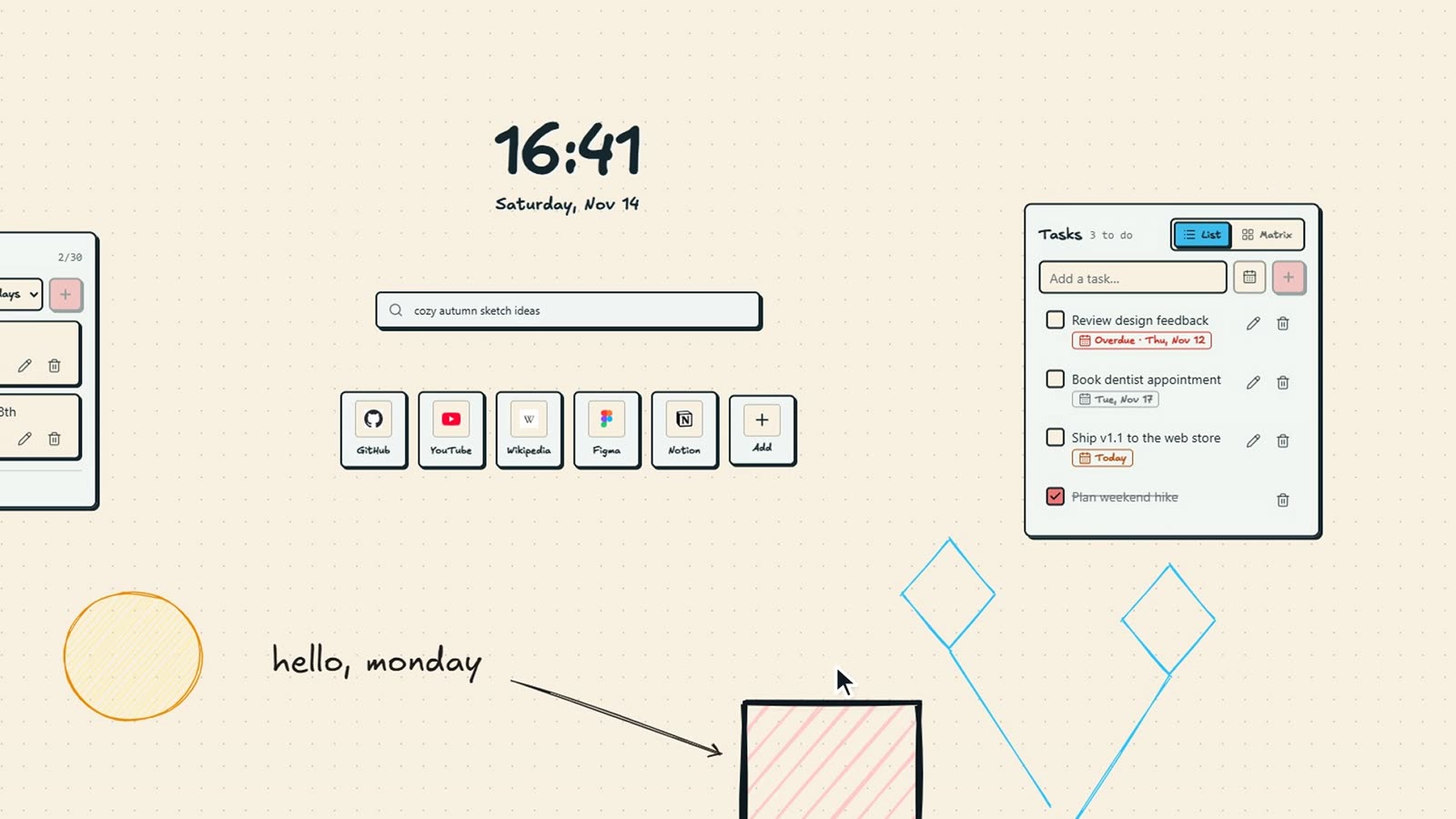
Sticky notes fade away after a day, three days or a week. Pin the ones worth keeping, restore the rest for 7 days.
Clock, search bar, quick links, tasks and notes. Turn on only what you want and drag each one where it fits.
Drop in a whole folder of images and arrange them in one click. Add captions and source links.
The interface picks up each wallpaper's colours, or a colour you choose. Up to 5 boards, each with its own look.
Every wallpaper and every widget works in both themes.
Save art as PNG or SVG, or back up every board, image, task and note to a single .zip file.
don't feel like drawing?
Sleepy cats, beach days, bamboo pandas, sweet treats, planners and space doodles. Each one arranges your widgets around its artwork. Scroll through them all.
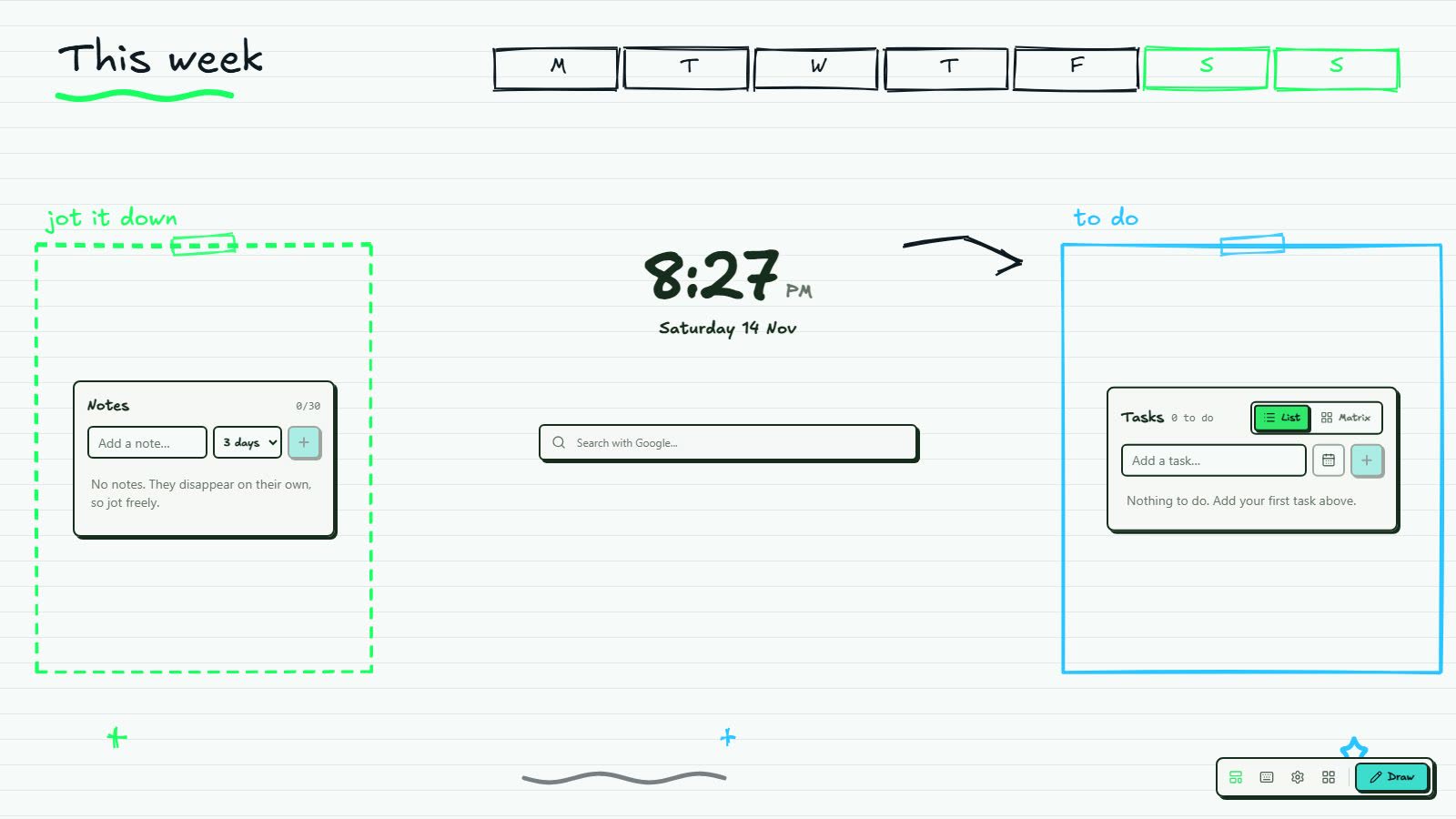
Weekly Planner Template
A paper-style week: tasks in a taped frame, a notes sheet, clock and search in the middle.
All wallpapers1 / 20
grab a cup of tea
4½ minutes, start to finish: every tool, widget and setting. Jump to a chapter if you're in a hurry.
local-first
Nothing to sign up for. Install it and start drawing.
No analytics, no telemetry, no ads, and no PaperTab servers.
Boards, images, tasks and notes live in your browser's local storage.
It only asks for the storage permissions. It can't read the pages you visit. See every request · Privacy policy
good questions
Yes. Some extras (like more boards or template packs) may become paid one day, but nothing you've already made will ever be locked or deleted.
On your own computer, in Chrome's extension storage and IndexedDB. Nothing is uploaded to PaperTab, because there are no PaperTab servers.
Open Settings and choose Backup & Restore. That saves every board, image, task and note into one .zip file, which you can restore on the other computer.
Yes. Chrome deletes an extension's storage when you remove it, so make a backup first.
Drawing, wallpapers, tasks and notes all work offline. Only searching and quick-link icons need the internet.
Turn on only the widgets you want, or switch PaperTab off in chrome://extensions. Your boards stay saved.
Chrome, and Chromium browsers that install from the Chrome Web Store, such as Edge, Brave and Arc.
Tell us on the PaperTab feedback board. You can also vote on what gets built next.
Takes ten seconds to install. Your next new tab will look a lot cuter.